Timeline
Now 0:00
L01
Stage Previs
Loading

3D show previs

Plan the show, before load-in.

Your venue in 3D. Content on every screen. Notes on the exact frame.

See it work

Free plan · No install · Runs in the browser

The editor
The whole show, one window.

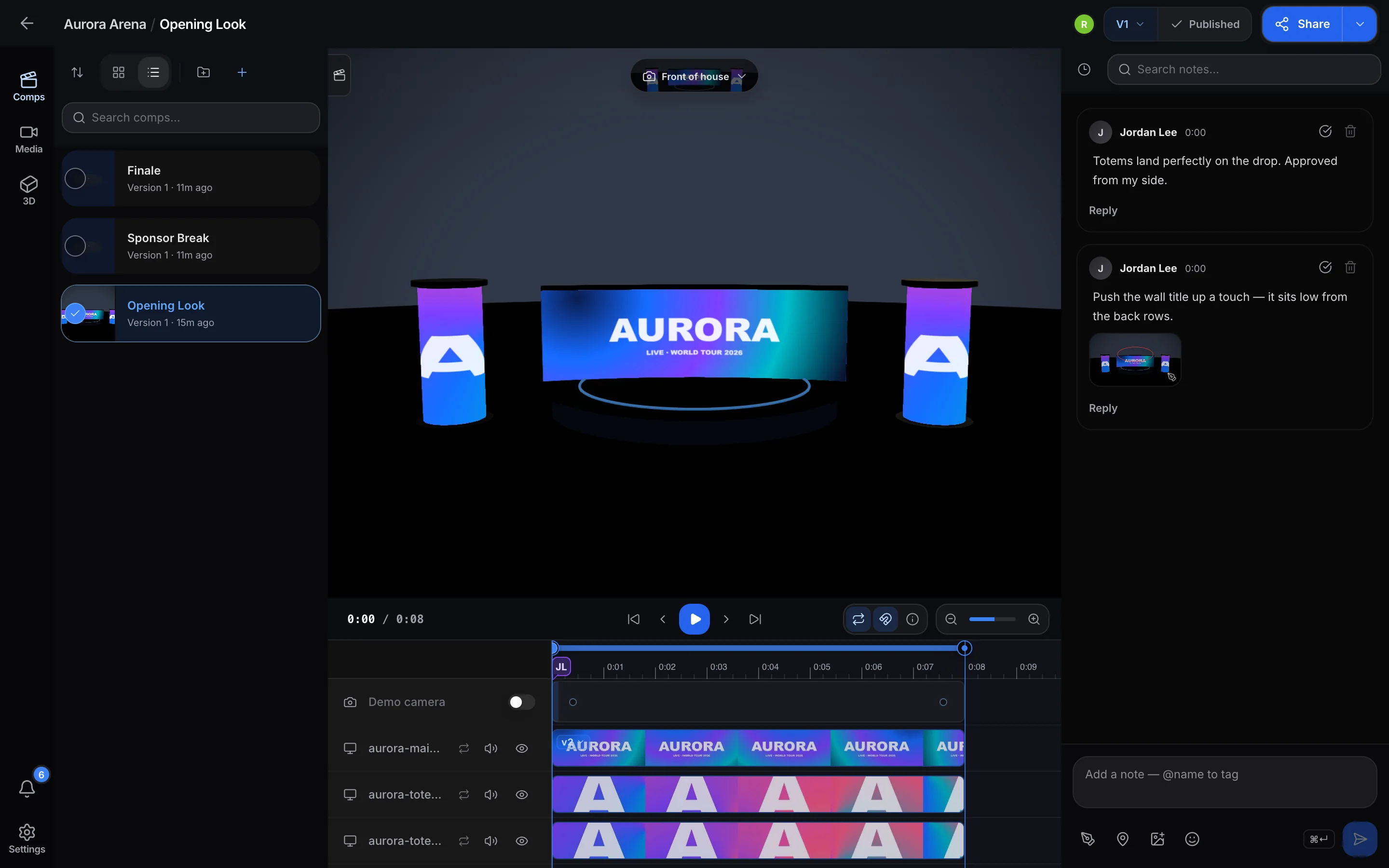
The Preshow.link editor: comps on the left, the venue in 3D, a track per screen on the timeline, and notes on the right.

How it works

Floor plan to sign-off in four moves.

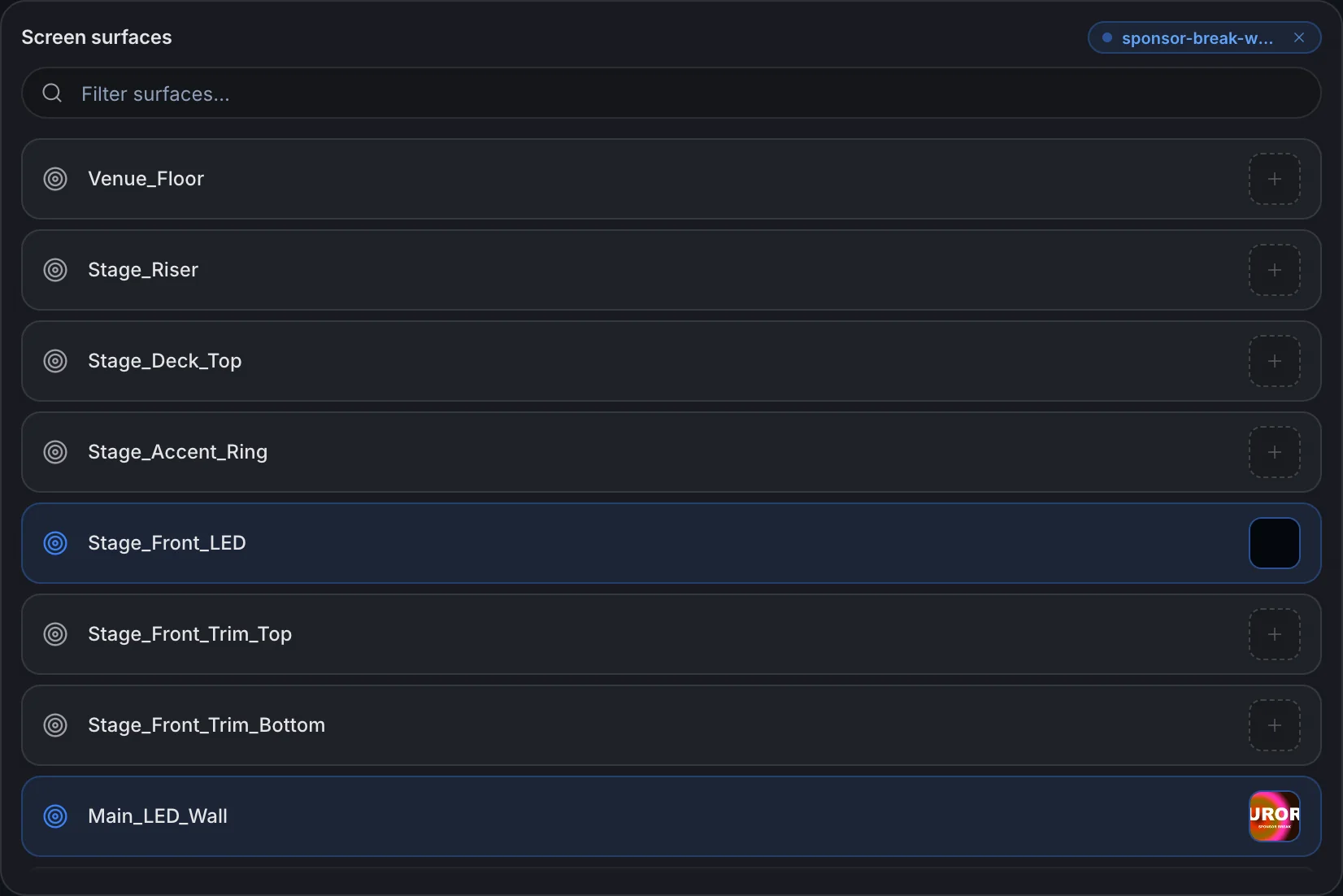
The comp wizard listing the venue’s screen surfaces, with clips assigned to the main wall and the stage-front LED.
01

Drop in the venue

Every LED wall, totem and projection surface becomes a screen.
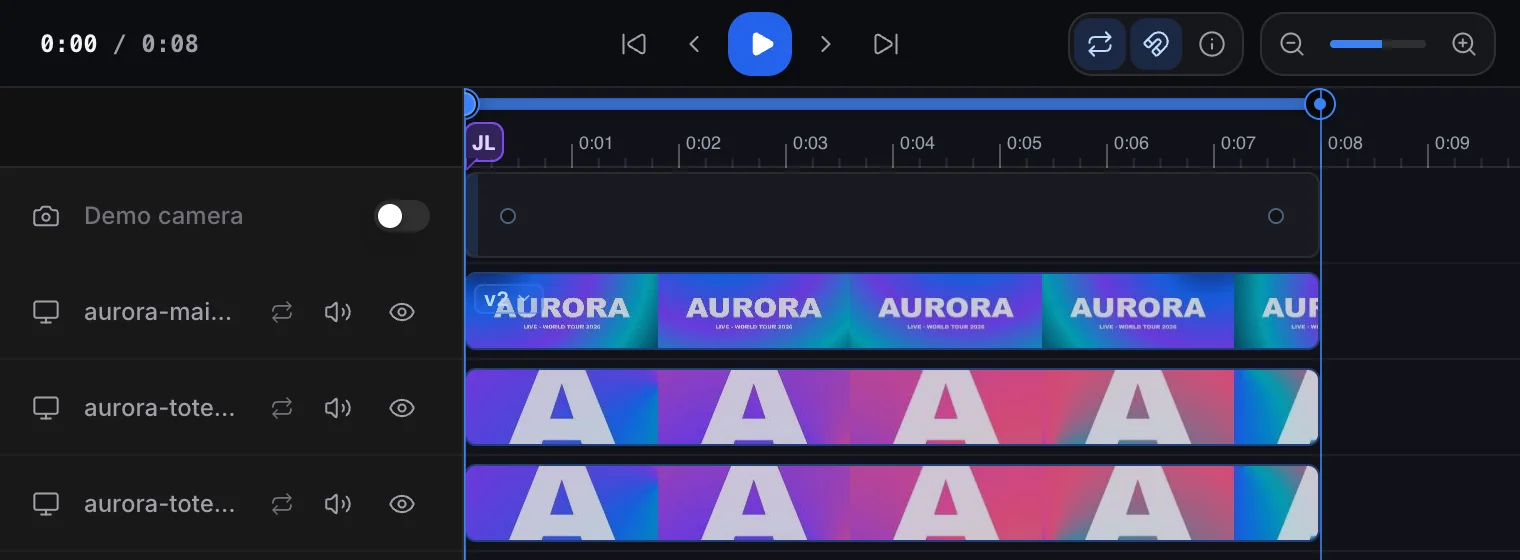
The timeline, one track per mapped screen, clips shown as filmstrips.
02

Map and time it

A track per screen. Trim, slide, loop the middle.
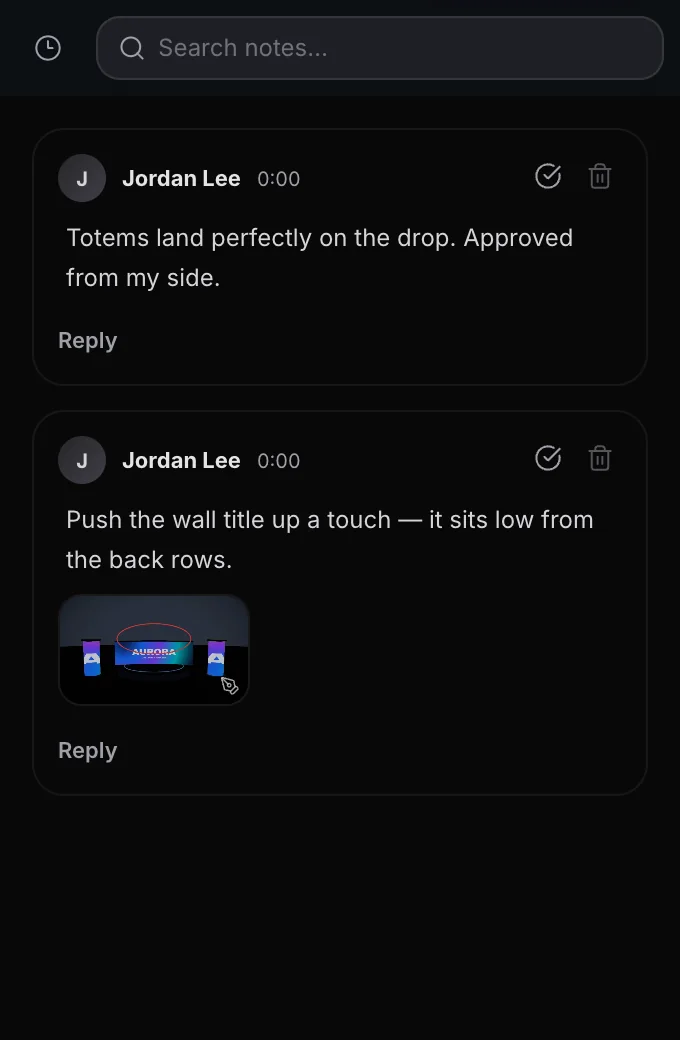
Two notes on the comp, one with a drawing circled on the main wall.
03

Note the frame

Notes pin to the moment. Draw right on the picture.
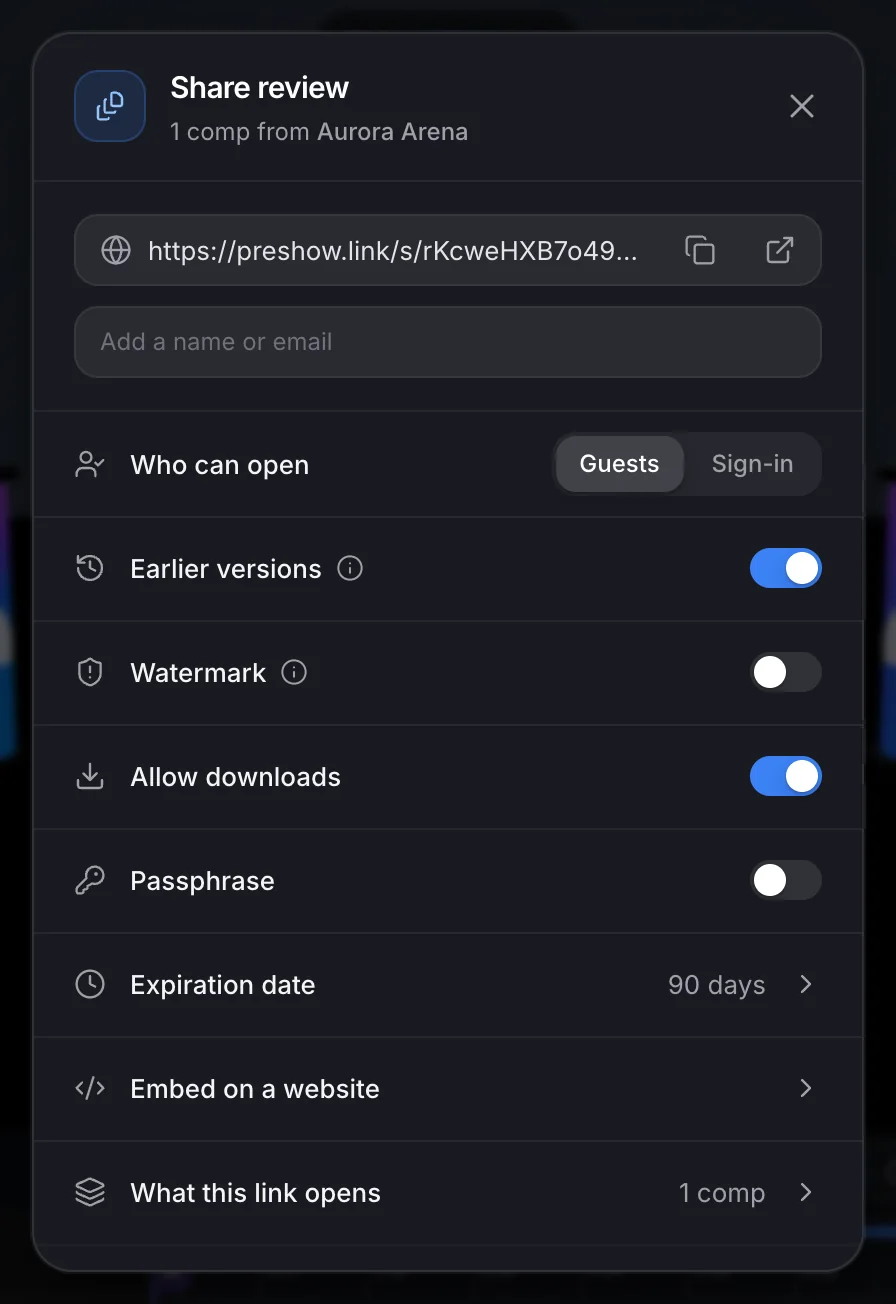
The share dialog: who can open the link, earlier versions, watermark, downloads, passphrase and expiry.
04

Share and sign off

One link. Guests comment and approve the cut.

Built for show work

Everything the room will ask for.

Fly the saved cameras

Frame a seat in the house once and come back to it. Keyframe the move on Pro.

One comp per look

Same stage, new content. Switch and compare.
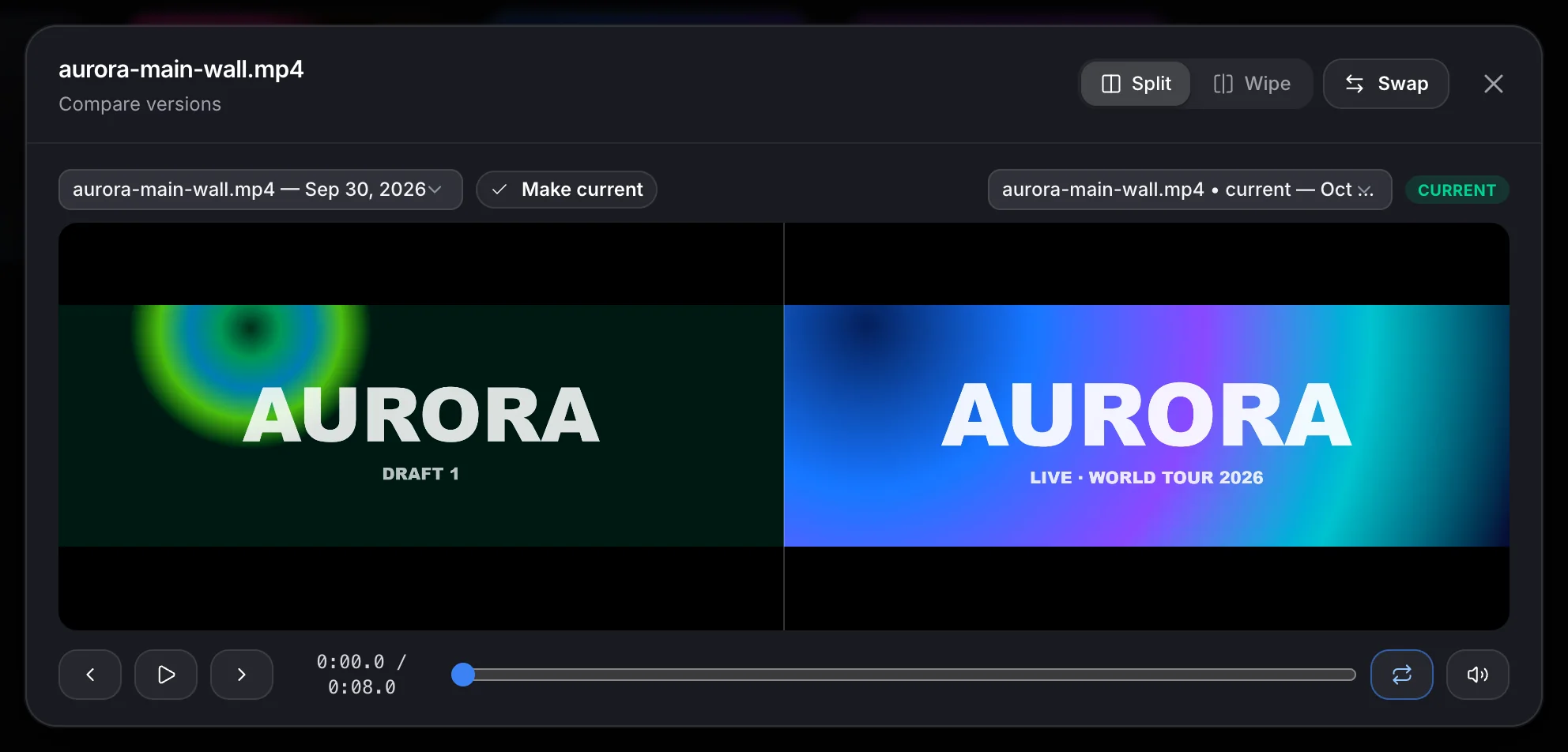
Comparing two versions of the main wall clip side by side: the draft and the current cut.

Versions, side by side

Two cuts play in lockstep, split or under a wipe.
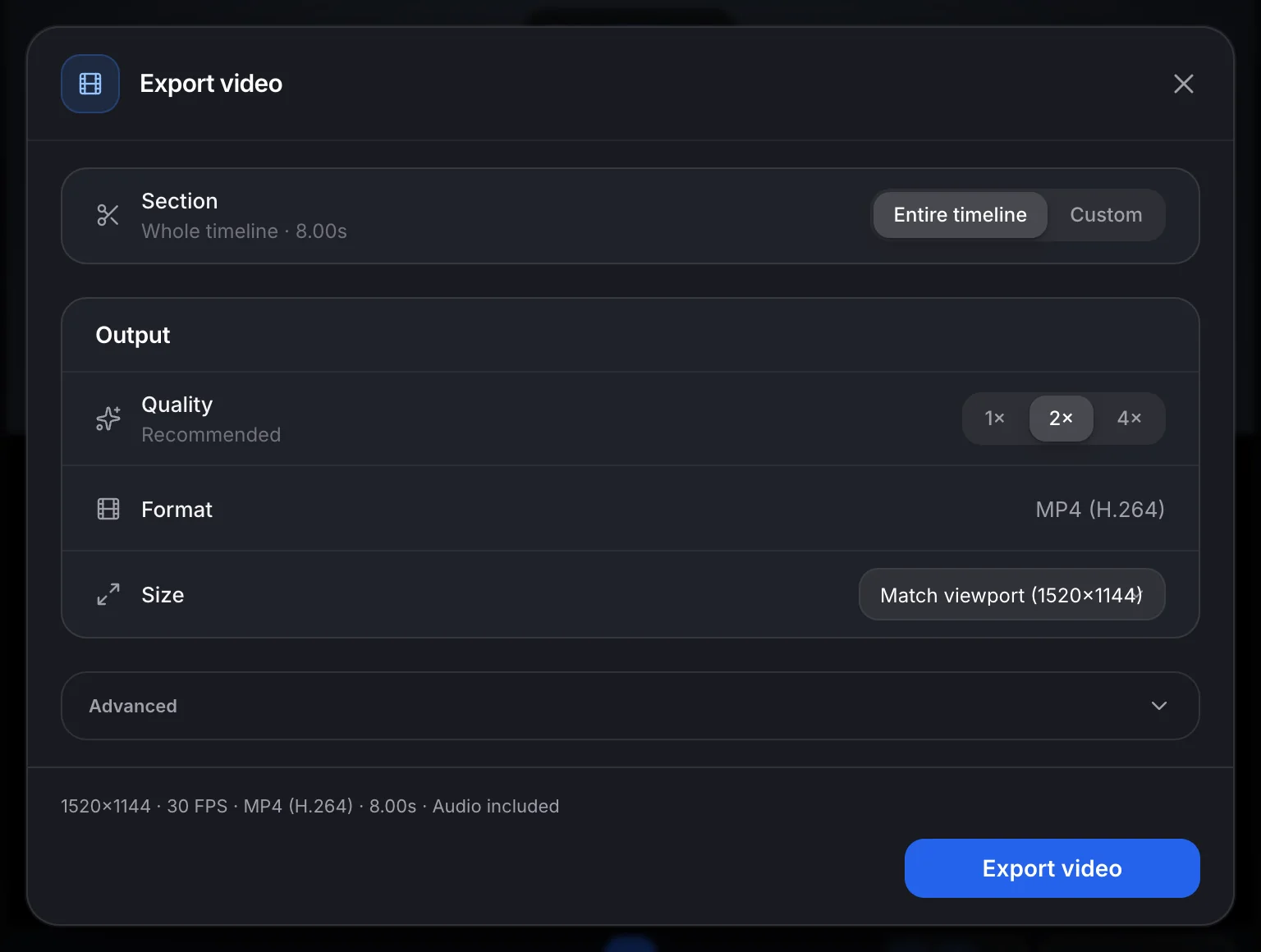
The export window: section, quality, MP4 (H.264) format and size.

Export a real file

Pro

H.264 MP4, frame by frame, on Pro. Max adds the render farm.
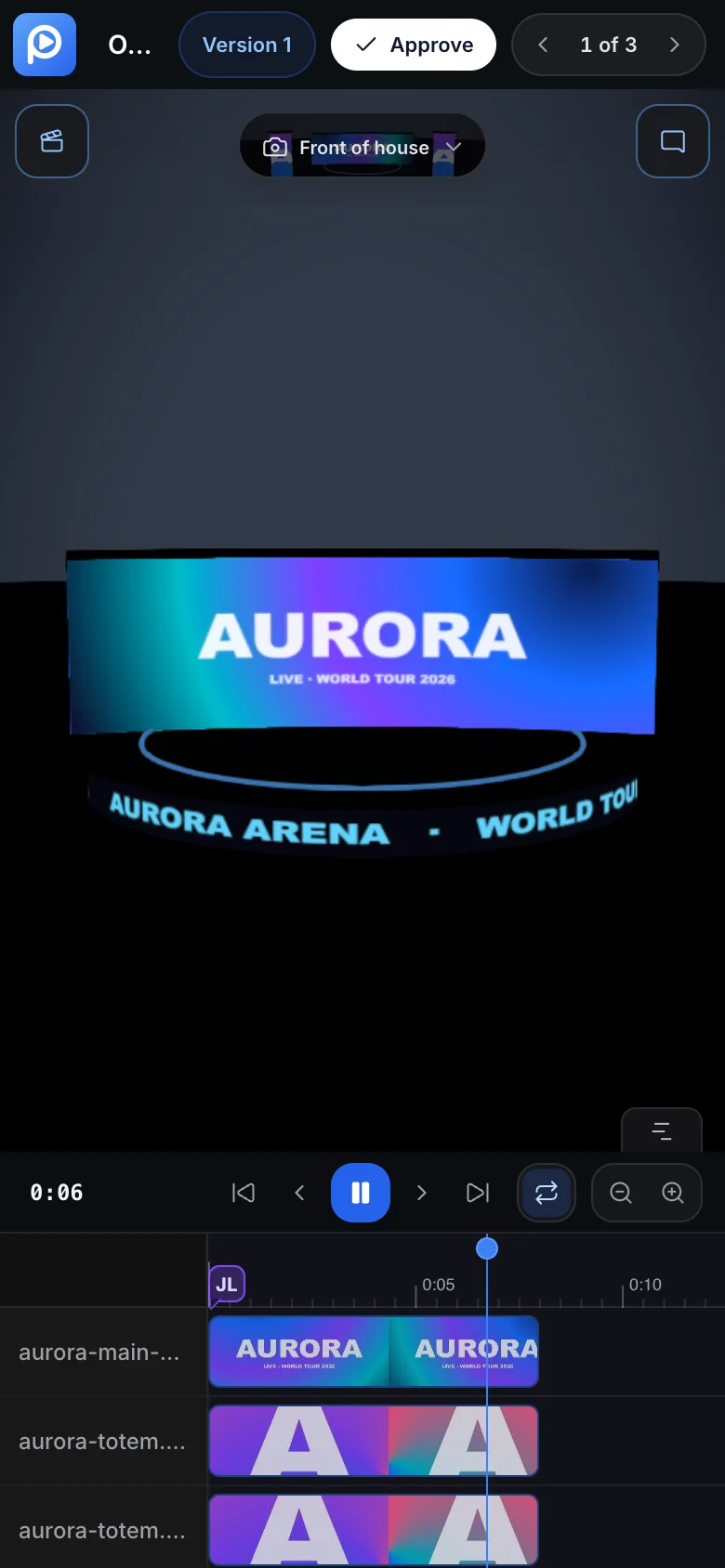
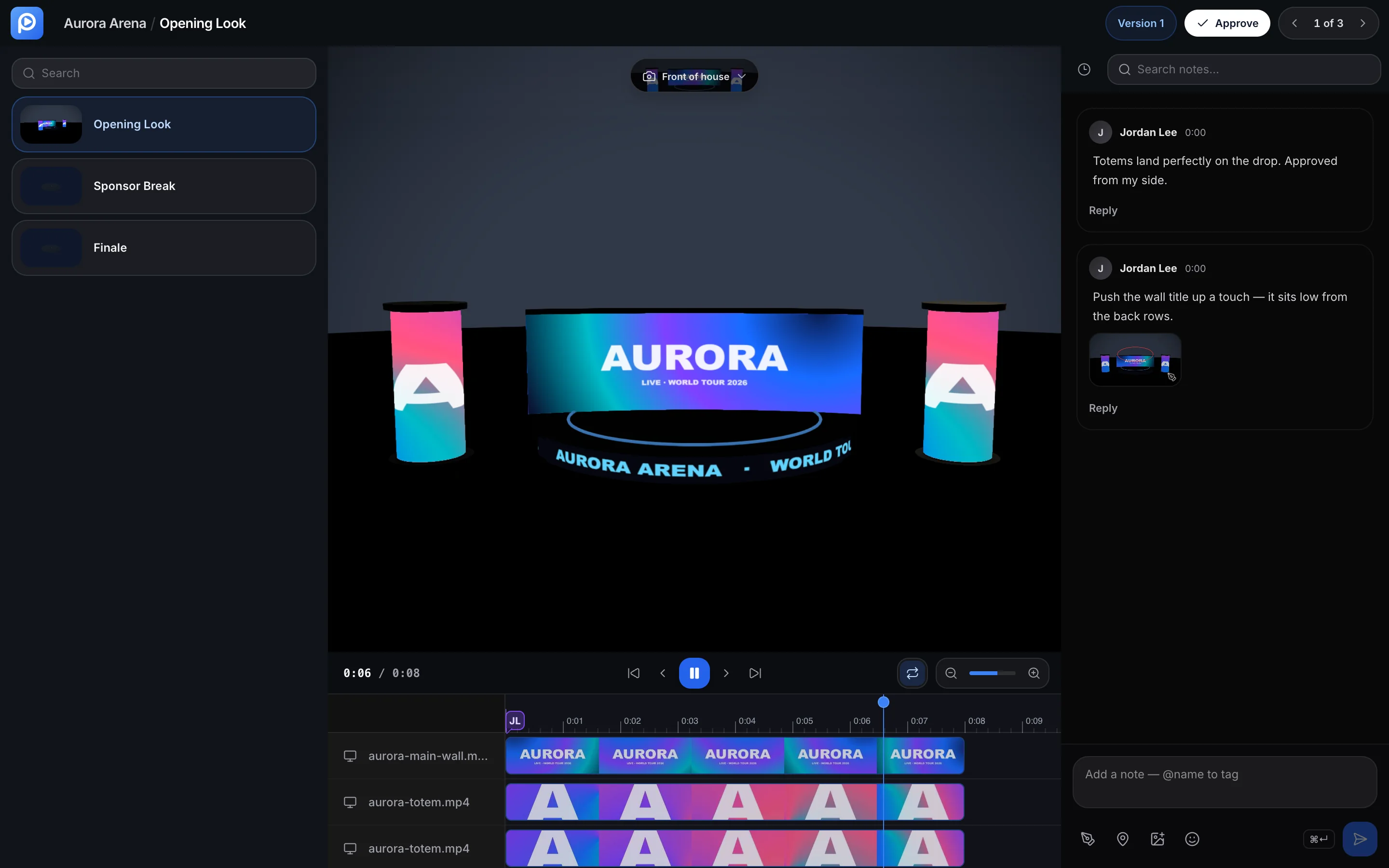
A review link on a phone: the comp playing with an Approve button.

Clients review anywhere

A name is all a guest needs. Notes and approval, on any screen.

{
  "mcpServers": {
    "preshow": {
      "url": "https://preshow.link/api/mcp"
    }
  }
}
  • list_projects
  • list_stages
  • create_media_upload
  • create_comp
  • API docs

Plug in your AI

Claude and other MCP clients can read projects and build comps. REST API and signed webhooks too.

Locked down

PasskeysTwo-factorPassphrase linksLogo watermarkLinks expireGuests or sign-in

Also in the box

  • Live co-editing
  • Edits survive a reload
  • Recently deleted, 30 days
  • Present offline
  • Daylight sky and mirrors
  • Stage optimizer
  • Multi-file uploads
  • Slack, email and push
  • Airtable sync
  • Viewers never use a seat
  • WebGPU with WebGL fallback

Pricing

Start free. Grow when the shows do.

Free

$0 / month

  • 3 active projects
  • 1 GB file storage
  • 30 min of video

Pro

$29 / month

  • Unlimited projects
  • 100 GB file storage
  • 5 team seats
  • Keyframes and export

Max

$99 / month

  • 500 GB file storage
  • 15 team seats
  • Render farm
  • Preo AI

Find the problems now, not at load-in.

Take the tour
A client's review link: the comp playing on the venue with notes beside it and an Approve button.